Ever since my original post on installing Enlightenment E17 on Debian and Ubuntu things have changed, such as the server that hosted the package repositories for both Debian & Ubuntu going off-line (supposedly temporarily but it’s been offline for almost 6 months).
Also, I’ve been having issues with E17 working correctly on my laptop running Ubuntu. This is probably because of conflicts between old and new packages, and because E17 is still beta code.
In this posting I’ll concentrate on installing or reinstalling E17 on Ubuntu 8.04 otherwise know as Hardy Heron. You should be able to use the same instructions to install E17 on other recent versions of Ubuntu. I’ll also try and the same for installing E17 on Debian at some point in the future.
First, remove all existing traces of any previous E17 installs.
sudo apt-get remove --purge e17 emodule* libevas* libefreet*
You’ll notice that I’ll use a mixture of apt-get and aptitude to remove and install packages. I’ve found that sometimes aptitude is a little too aggressive in removing packages, and sometime will remove package that I need. For instance when I started to remove E17, aptitude also wanted to remove xserver-xorg which would mean X wouldn’t work (no GUI).
Next, remove any old repositories for E17 from you sources.list. But, first make a back-up copy of the file:
sudo cp /etc/apt/sources.list /etc/apt/sources.list.bak
Then, remove or comment out any other E17 repositories from the file, by editing the file with your favourite text editor. I normally use emacs:
sudo emacs /etc/apt/sources.list
Or if you don’t have X running and are doing this from a console:
sudo emacs -nw /etc/apt/sources.list
You can use # to comment out lines. Remove any references to edevelop.org or soulmachine.net .
Then, add the dunnewinde.net repository, by adding the following lines:
# dunnewind e17 repository for Ubuntu Hardy
deb http://e17.dunnewind.net/ubuntu hardy e17
You can replace hardy with either gutsy or feisty if your running either of those versions of Ubuntu.
Now your ready to install/reinstall Enlightenment E17! 🙂
sudo aptitude install e17
Or if you also want to play with a media player based on E17 libraries install eclair also.
sudo aptitude install e17 eclair
Once the install is completed, logout. At the login screen (GDM) change your session to Enlightenment and login and you should see something that looks like the following:
Sorry that screenshot is missing. I deleted it as someone was leeching the image by linking directly to the image from their blog (using up my bandwidth instead of theirs). I’ll upload a new image in the near future.
No other themes are installed, I’ll write another post in the next few days showing how to get themes from get-e.org and install them. In the meantime here’s a screen-shot using the Darkness theme:
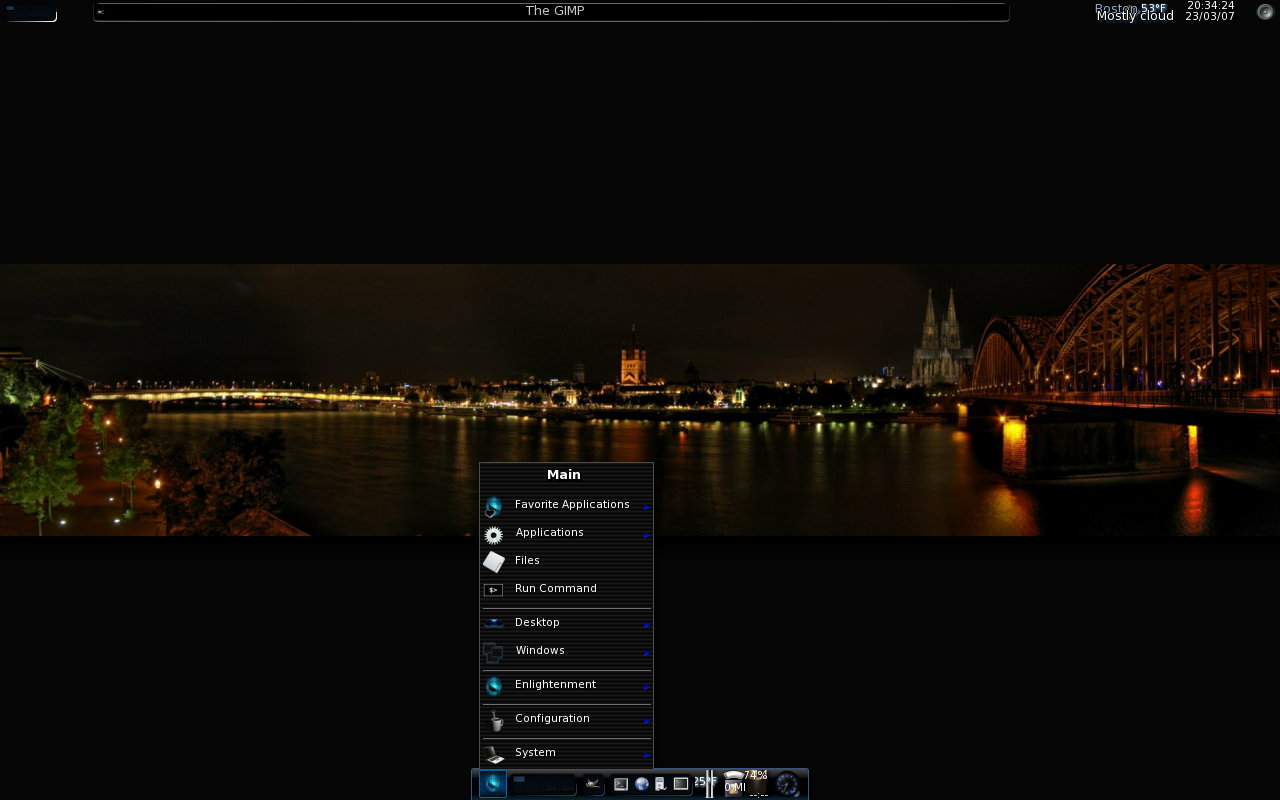
http://timony.com/mickzblog/2008/04/15/e17-on-ubuntu-revisitede17-on-ubuntu-revisited/
You could also add the key for the dunnewind repository, to keep Ubuntu from complaining:
wget http://lut1n.ifrance.com/repo_key.asc -O- | sudo apt-key add –
I just tend to ignore the warning! 🙂 I’ll update the instructions in the near future; I’m mad busy at work and I’ll be away over the weekend and not near a computer. Which means I might not get to it until next week. Thanks for the suggestion Jiang.
You’re welcome. Your post saved me from having to build E17 from sources, so thank you. =D
The Repository on this link works fine
http://xsm.alphagemini.org/E17/repository/
See below for some more information and screenshots ……….
http://keithinfrance.stumbleupon.com/review/21169141/
23dornot23d …… that is the question ………
Blender works fine in it …..
Let me know if you want me to write a posting about how to install new themes.
dont need to delete the screenshot, just use a .htaccess to limit the access
have a nice day