Dell Laptops & Ubuntu

I’d heard that Dell were offering Ubuntu Linux on some of their laptops and I hadn’t really looked into it. But I came across this page the other day and it’s pretty neat to get Ubuntu (or any Linux) preloaded on a laptop from a major vendor:

http://www.dell.com/content/topics/segtopic.aspx/linux_3x?c=us&cs=19&l=en&s=d

It’s good to support coming from a major vendor, and Dell even offer’s a repo so you can get BIOS updates for support hardware:

http://timony.com/mickzblog/2008/02/05/dell-bios-updates-using-linux/

However, I’m still partial to getting Lenovo’s T400 over a Dell.

Support Pine Street Inn

Support Boston’s Pine Street Inn this year and buy holidays cards based on a photograph I took:

http://www.pinestreetinn.org/news.php?id=343

The photograph also came 24th in the Boston Globe’s 2008 Winter Wonderland contest:

http://timony.com/mickzblog/2008/02/22/winter-wonderland-24/

Boston Sunset

Penny over at BostonZest did a write up on this and asked me to comment on the picture:

http://www.bostonzest.com/2008/10/holiday-cards-to-support-pine-street-inn.html

Updated: Oct 25th with updated link to Pine Street Inn’s Greeting Card page.

KDE4 and Debian

I figured it’s time for me to try and install kde4 again! Previously I had to remove KDE4 due to package conflicts. There are installation instructions at:

http://pkg-kde.alioth.debian.org/experimental.html

So following the instructions there on what changes to make to your sources.list, and then run:

aptitude update

I’ve had some dependency issues, and installing the kde4 package (a meta-package that will install all of KDE4) would not install due to dependency issues with the kdegraphics package. The way around this is to install the kde4-minimal package and whichever of the other packages you want. So I installed everything, minus the kdegraphics package via the following:

aptitude install -t experimental kde4-minimal kdeplasma-addons kdegames kdemultimedia kdenetwork kdepim kdeutils kdeedu kdeadmin kdeartwork kdetoy

Be prepared for a lot of packages to be installed, for others to be removed, and to possibly break your existing kde3 installation (if you have one). See the first comment to see what I had to install and remove.

Firstly, KDE4 does not import any of your KDE3 settings, which is pretty annoying, as all of the applications start with the default settings, and is really annoying with applications like kmail … however some has created a tool to import the settings:

http://silentcoder.co.za/silentcoder/?page_id=330

My only complaint about the tool, is that it requires root to install it. I’d also like the option to be able to run the tool without first having to install it. Anyways, it seems to work pretty well and imported all of my mail into kmail, the only thing it didn’t do was import account settings into kmail.

This post is a work in progress, I’ll update it over the next day or so with any further instructions as I install, configure, and test KDE4.

Debian’s e17 Packages

I thought I’d start looking at using Debian’s experimental E17 packages. I commented out all other E17 repo’s from my source.list and installed the debian e17 package. It installs a minimal amount of related packages, and there doesn’t seem to be lot of e17 packages available in the experimental repo

sudo aptitude install e17
Reading package lists… Done
Building dependency tree
Reading state information… Done
Reading extended state information
Initializing package states… Done
Reading task descriptions… Done
The following NEW packages will be installed:
e17 e17-data{a} libecore-con0{a} libecore-evas0{a} libecore-fb0{a} libecore-file0{a} libecore-imf0{a} libecore-ipc0{a} libecore-job0{a} libecore-txt0{a} libecore-x0{a} libecore0{a}
libedbus0{a} libedje0{a} libeet1{a} libefreet0{a} libembryo0{a} libevas-engines{a} libevas0{a}
0 packages upgraded, 19 newly installed, 0 to remove and 0 not upgraded.
Need to get 8110kB of archives. After unpacking 15.5MB will be used.

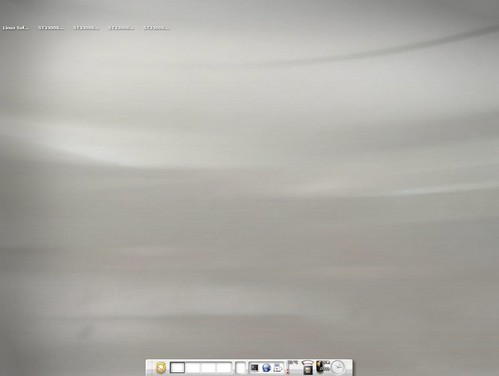
This appears to provide a good basic E17 Desktop, but provides no additional themes, and I’m not sure how many modules it includes. Here’s a screenshot:
Default Debian E17 Install

If you want to use this add the following to your /etc/apt/sources.list:

deb http://ftp.us.debian.org/debian/ experimental main non-free contrib

This also includes KDE4 packages. You’ll want to be careful with this repo, that you don’t pull in and install too many (possibly breaking) packages from it.

Look for my latest posting on E17 as this information could be out-of-date:

http://timony.com/mickzblog/category/e17/

But I don’t want a PDF?

WTF is Citibank thinking with their web interface:

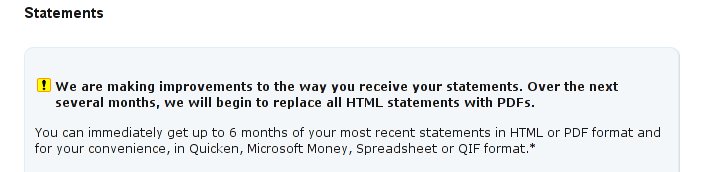
We are making improvements to the way you receive your statements. Over the next several months, we will begin to replace all HTML statements with PDFs.

When I’m looking at my old statements I don’t want to have to wait for a PDF to download, then for Adobe Acrobat to open just so I can briefly look at an old statement.

Come on there Citibank, give me a default option to view this information in HTML (as a webpage) so I can see if it’s the information I need, then let me choose if I want it as a PDF, or excel file …