To enable mod_perl with Apache2 on Debian & Ubuntu for all directories served up by Apache2, including user directories such as ~/public_html, add the following lines to /etc/apache2/sites-available/default
# enable mod_perl
    <Files ~ ".(pl|cgi)$">
           SetHandler perl-script
           PerlResponseHandler ModPerl::Registry
           Options +ExecCGI
           PerlSendHeader On
    </Files>
In a real production environment you probably don’t want to enable this for all directories that Apache2 serves up, but only from those directories you expect to run perl in.
Thanks to this thread on the Ubuntu Forums for the info.
Titled updated as per Ozkar’s suggestion.
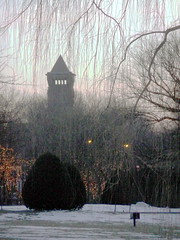
Got a tonne of snow about a week ago:

It’s still been lying around and slowly thawing and refreezing, and being ground down. Today it snow about 5 inches, and now it’s turned to rain/sleet and it’s a sloopy mess outside. Huge snow laden puddles everywhere.
I recently got an Lenovo T400 and this thing works great with the latest version of Ubuntu (Intrepid).
To install Ubuntu, you have to make sure you edit the BIOS settings and change the graphics to use one of the 2 build in graphics cards. If you want to save the Vista bootloader and access to Lenovo’s restore partition, you must not install grub on the MBR (Master Boot Record). Instead, install grub on the same partition as where the kernel resides. (This will be either /boot or / ) Then install EasyBCD¹ on Vista and add Ubuntu to Vista’s bootloader.
I was going to install Debian on the laptop, but I went w/ Ubuntu Intrepid instead as it has a 2.6.27 kernel which (supposedly) has better support for some the hardware on the T400 (and for my new Sony MP3 Walkman). I could have installed Debian and compiled my own 2.6.27 kernel, but these days I couldn’t be bothered spending ages compiling, testing, and debugging my own kernel.
¹For instructions on how to use EasyBCD see: http://neosmart.net/wiki/display/EBCD/Ubuntu
http://timony.com/mickzblog/2009/01/22/got-a-t400
After upgrading to Flash 10 sound stopped working. Installing the flashplugin-nonfree-extrasound package solved that problem for me:
aptitude install flashplugin-nonfree-extrasound
If your using pulse audio, install the flashplugin-nonfree-pulse package. It doesn’t look like the Debian flash plug-in suggests either package:
apt-cache show flashplugin-nonfree|more
Package: flashplugin-nonfree
Priority: optional
Section: contrib/web
…
Suggests: iceweasel, konqueror-nsplugins, x-ttcidfont-conf, msttcorefonts, ttf-dejavu, ttf-xfree86-nonfree, xfs (>= 1:1.0.1-5)
Linux, Python, Boston, Donegal.